
Clothing pack builder
Components and props for mp_m_freemode_01 and mp_f_freemode_01, numbered for you, checked against the game's limits and written as fxmanifest.lua, stream/, .ymt and shop .meta, plus a .zip.
Free · MIT · Windows and Linux · version 1.0.0
Unlimited Cloth makes GTA V freemode clothing and tattoos ready for FiveM. Import garments or whole addon packs, fix them in the studio, try them on the animated freemode ped and build a finished resource and .zip. Every file it writes is read back and checked.
Download 1.0.0Getting startedDiscord
No browser tab, no network port, no Blender, Python or CodeWalker needed. Made by Unlimited Reforge.
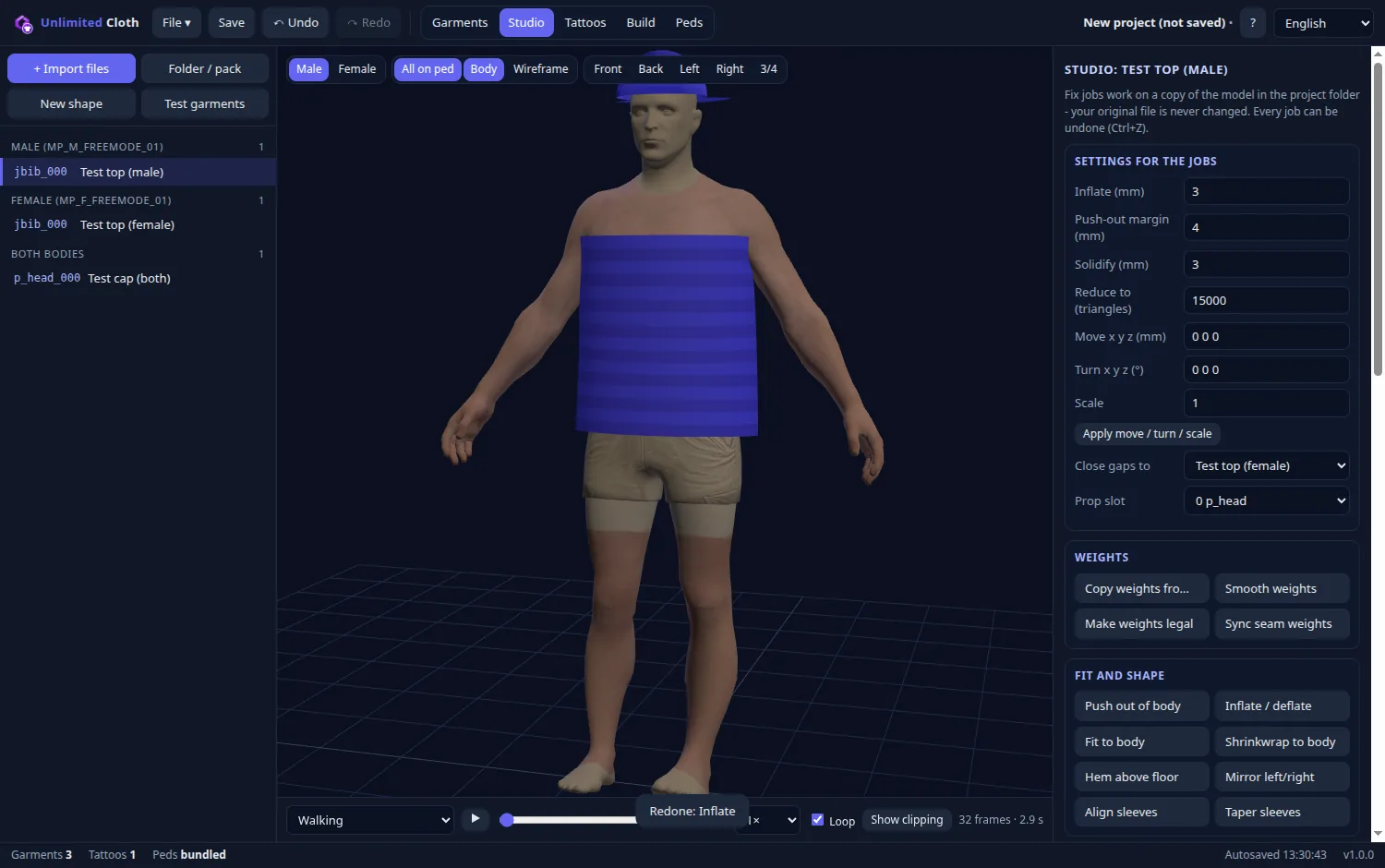
One program for the whole job, from loose files to a resource you can ensure.
Components and props for mp_m_freemode_01 and mp_f_freemode_01, numbered for you, checked against the game's limits and written as fxmanifest.lua, stream/, .ymt and shop .meta, plus a .zip.
Copy weights from the body, push out of the body, fit and shrinkwrap, LODs, shaders, props, hair alternates, heels, cloth physics and texture tools. Every job can be undone.
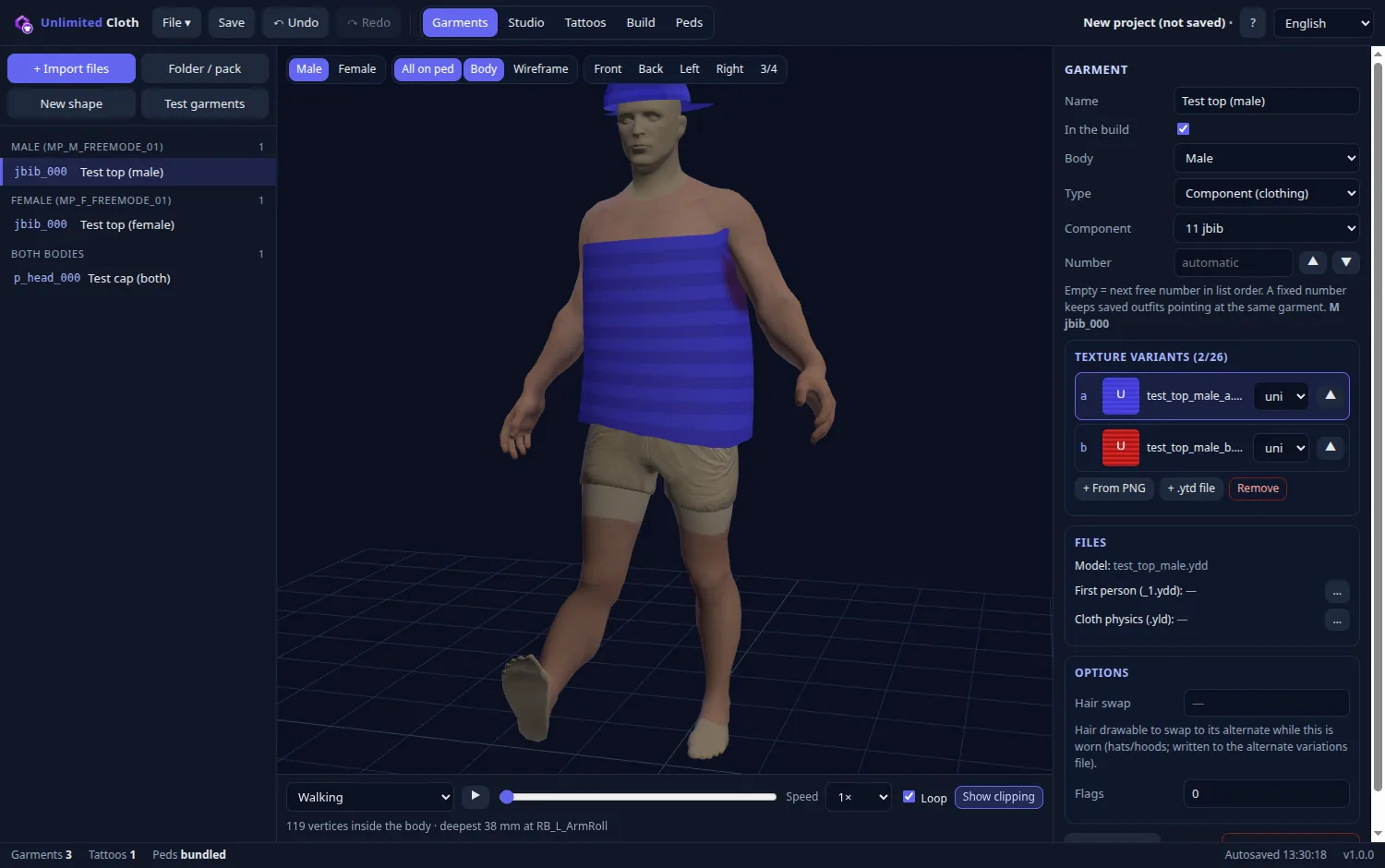
The freemode ped with skin and your garments, 31 poses and animations, and Show clipping, which marks in red where the body comes through, how deep and at which bone.
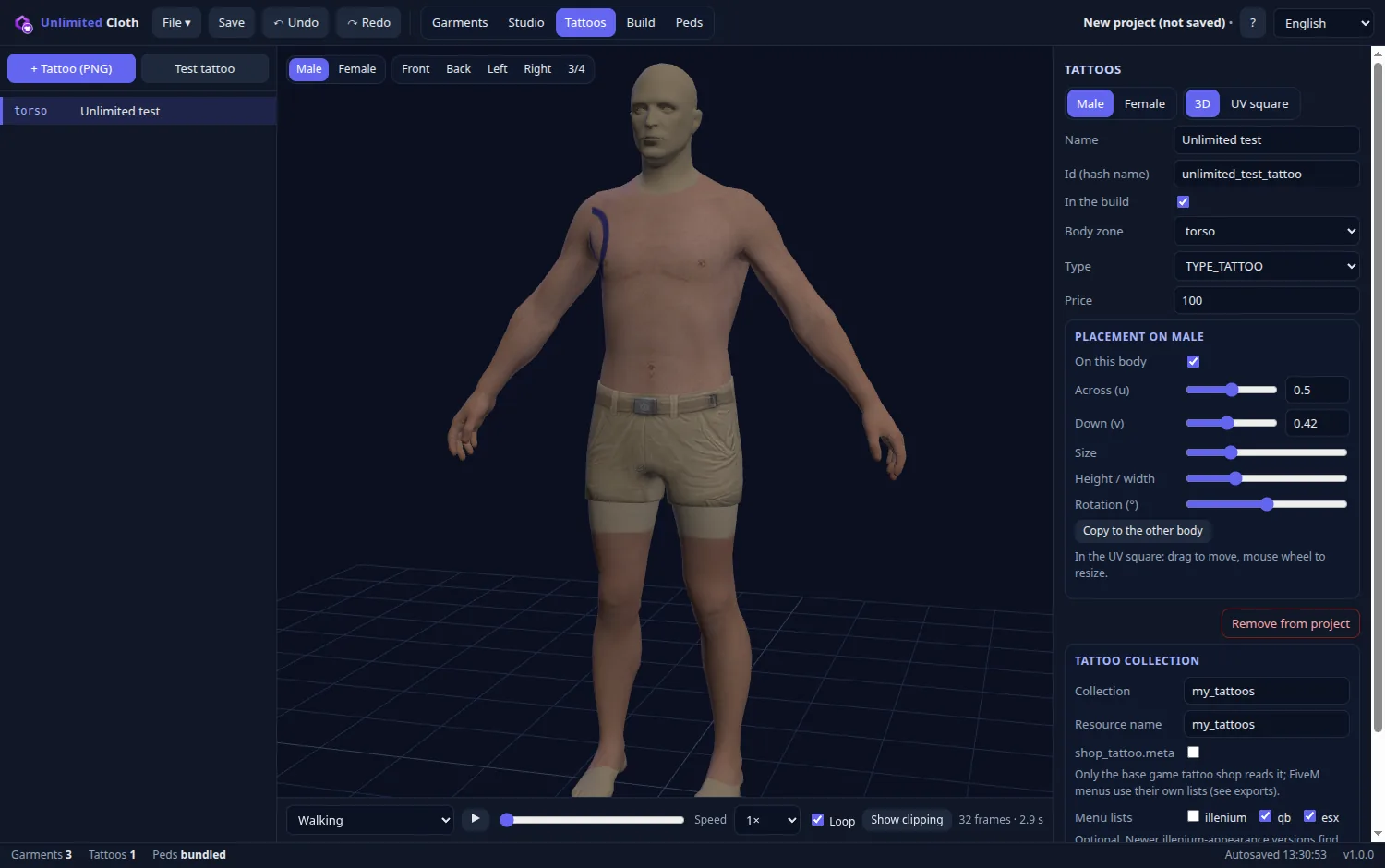
PNG in, 512×512 DXT5 .ytd out. Place each tattoo per zone and per body in 3D or in the UV square, and get the overlay XML and ready lists for qb, esx and illenium-appearance.
Fix jobs work on a copy in the project folder, so your original is never changed. Nothing is ever deleted for good: an old build goes to the system trash.
Plain JSON projects (.ucloth) with relative paths that open on both Windows and Linux, autosave for crash recovery, undo and redo. The program speaks 12 languages.
Version 1.0.0. All files are on the GitHub release page, together with the release notes.
Installer: pick a folder, get shortcuts, uninstall from Apps.
Unlimited-Cloth-Setup-1.0.0.exeDebian, Ubuntu, Mint, Pop!_OS and other apt systems.
unlimited-cloth_1.0.0_amd64.debOne file that runs on most distributions, with no install.
Unlimited-Cloth-1.0.0-x86_64.AppImageAll releases · The freemode peds the preview uses come with the program; nothing else has to be downloaded.
Unlimited-Cloth-Setup-1.0.0.exe..deb (Debian, Ubuntu and similar):
sudo apt install ./unlimited-cloth_1.0.0_amd64.debAppImage: make it executable and run it.
chmod +x Unlimited-Cloth-1.0.0-x86_64.AppImage
./Unlimited-Cloth-1.0.0-x86_64.AppImagesudo apt install libfuse2 (libfuse2t64 on 24.04).Settings, autosave and your own peds: %APPDATA%\Unlimited Cloth on Windows, ~/.config/Unlimited Cloth on Linux. Built resources go to Documents/Unlimited Cloth/build unless you choose another folder.
The program starts in English and walks you through language, preferences, folders, peds and the defaults for new projects. You can skip it and run it again from ? → Run setup again.
Press Test garments on the Garments tab. You get a test top for each body and a cap for both, made by the program itself, so you can try every tool before you use your own files.
+ Import files takes .ydd, .ytd, .yld, Sollumz/CodeWalker .ydd.xml, .glb, .obj, .blend and .png. Folder / pack takes a whole folder or an existing addon pack.
For each garment choose the body (male, female or both), the component or prop slot and up to 26 texture variants (a–z). A ! in the list means something is still missing.
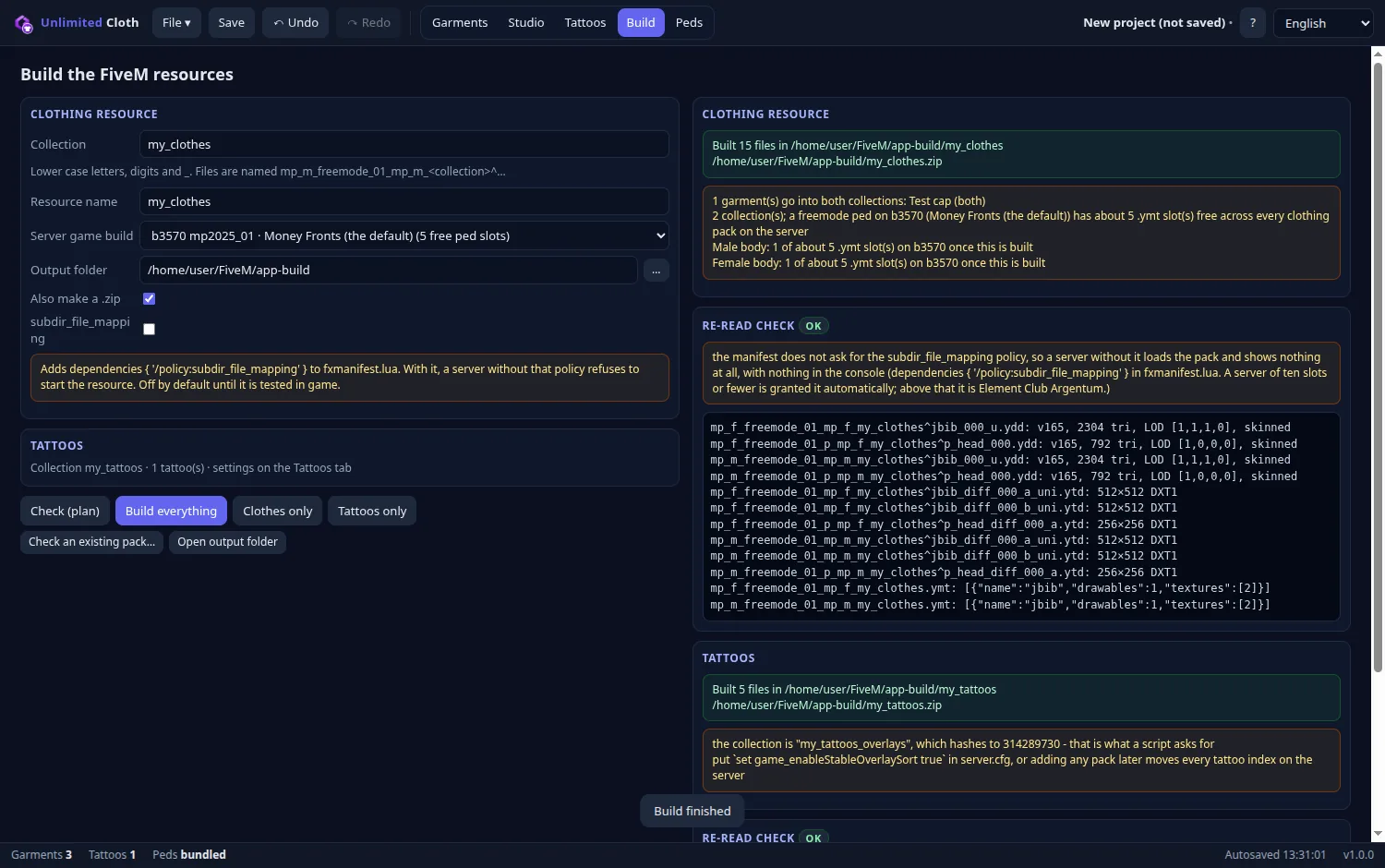
On the Build tab press Check (plan) to see every file, number and limit before anything is written. Then press Build everything. The result is read back and checked.
Copy the resource folders to resources/ and add them to server.cfg. Try a new pack on a test server before you put it on a live one.
ensure my_clothes
ensure my_tattoosThe Garments tab holds the list; the Build tab writes the resource.
<collection>2).fxmanifest.lua, stream/ with the models, textures and cloth physics, one .ymt and one shop .meta per body, first-person models (_1.ydd), hair swaps (pedalternatevariations.meta), heel heights, and a .zip of the folder.
Import a built pack with Folder / pack to rename its collection or join packs. Flags, audio profiles, heel heights, prop hair, hair swaps and the collection name come back from its .ymt and .meta files.
.ytd. A ready .ytd works too; the texture inside gets the tattoo's Id in the build.fxmanifest.lua with PED_OVERLAY_FILE.shop_tattoo.meta (only the base game's tattoo shop reads it).exports/: qb (AllTattoos.json), esx (Config.TattooList) and illenium-appearance. Newer illenium-appearance versions find the tattoos in the overlay file by themselves, so that list is off by default.Jobs work on a copy of the model in the project folder. Every job can be undone with Ctrl+Z, files included. A job that fails puts the file back as it was.
| Group | Tools |
|---|---|
| Weights | Copy weights from body · Smooth weights · Make weights legal · Sync seam weights |
| Fit and shape | Push out of body · Inflate / deflate · Fit to body · Shrinkwrap to body · Hem above floor · Mirror left/right · Align sleeves · Taper sleeves · Apply move / turn / scale |
| Mesh | Fix normals · Weld seams · Close openings · Close gaps · Solidify (inside) · Rewrite whole file |
| Level of detail | Make LODs · Weight the LODs · Reduce triangles |
| Props, hair, heels, physics | Make into prop · Hair alternate · Heel pose · Heel bones · Make cloth physics (.yld) · Rebind cloth physics · Crop unused texture |
| Shader | 27 ped shaders, with a note on what each one is for. |
| Textures | + From PNG (DXT1/DXT5 with mipmaps) · Recolour → new variant · Replace from PNG · Export as PNG · Normal + spec maps (PNG) |
| Export model | Sollumz / CodeWalker XML · .obj (Blender etc.) |
The Build tab has a subdir_file_mapping checkbox. When it is on, the clothing resource's fxmanifest.lua gets this line:
dependencies { '/policy:subdir_file_mapping' }Yes. Unlimited Cloth is free and open under the MIT licence, made by Unlimited Reforge.
No. The program reads and writes the game formats itself, and the freemode peds for the preview come with it. On the Peds tab you can use files from your own game instead (optional).
The clothing resource is a normal addon pack, so any menu that reads addon clothing shows it. For tattoos the program writes lists for qb, esx and illenium-appearance. Check the field names against your version of the menu.
No. Fix jobs work on a copy in the project folder, and anything in the way (an old build, for example) goes to the system trash. Nothing is deleted for good.
ensure) and that the server's game build is the one chosen on the Build tab.The installer is signed with Unlimited Reforge's own certificate, not one bought from a certificate authority, so Windows does not know the publisher yet. See Install for how to get past SmartScreen.
Questions, bugs and ideas go to the Unlimited Discord. The program has no e-mail address.
Support, bug reports and ideas for Unlimited Cloth and the rest of Unlimited.
Open the Unlimited Discord